My Account
Each user has a range of settings they can adjust in their account.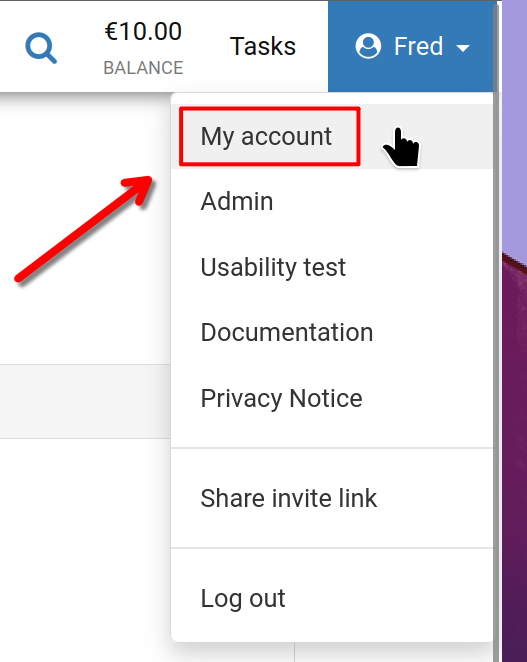
Start by clicking your username in the top right corner of the screen, then select 'My account' as shown.
My Account
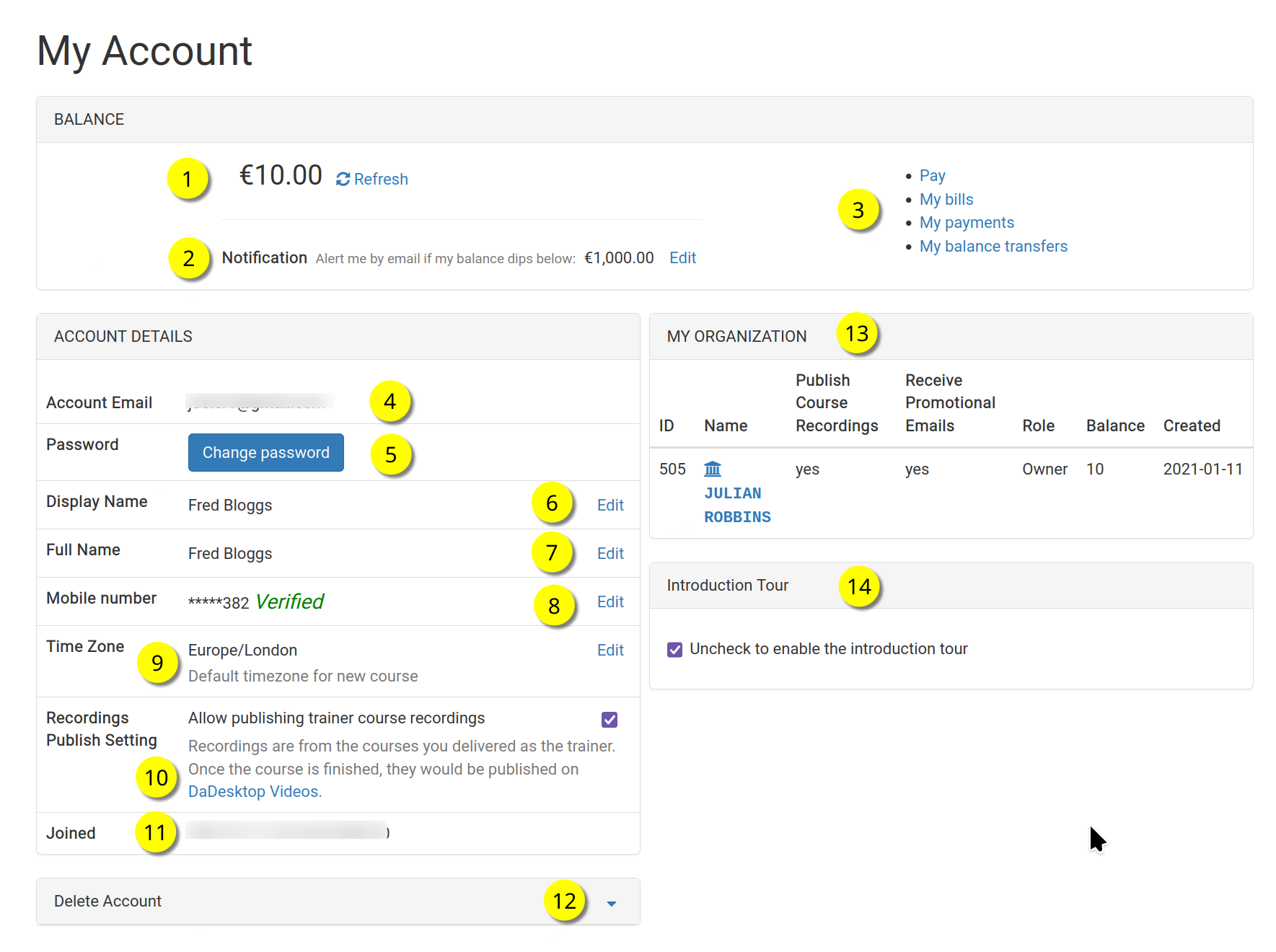
Here's the 'My Account' page.
Each numbered item is explained below.
Key
| Description | ||
|---|---|---|
| 1 | Balance | Displays the user's current balance |
| 2 | Notification | A notification email can be sent when the balance drops below a user-defined threshold. Each user can set their own threshold. |
| 3 | Billing Links | This section provides links to Payment, Balance, Previous Payments and Balance Transfers. |
| 4 | Account Email | This cannot be changed. |
| 5 | Password | The user's password can be changed here. |
| 6 | Display Name | This is the displayed name and can be changed as needed. |
| 7 | Full Name | The user's full name, which can also be edited as needed. |
| 8 | Mobile Number | This can be changed as needed. |
| 9 | Timezone | This ensures that times are displayed in the user's correct timezone. |
| 10 | Recordings Publishing Setting | If the user is a Trainer, they can choose whether to allow course recordings from their machine to be published on the dadesktop.com/videos site. |
| 11 | Joined | The date the user joined DaDesktop. |
| 12 | Delete Account | If the user wishes to delete their DaDesktop account, they should click here. All their details will be removed. |
| 13 | My Organisation | Each user can also add an Organisation to their account. Here you can see details of the user's organisation. |
| 14 | Introduction Tour | The introductory tour can be re-enabled if needed by unticking the box. This will show the tour guide again. |