Course VPN
The Course VPN (CVPN) feature enables direct peer-to-peer connectivity between desktops.
Enabled by default, CVPN facilitates seamless communication between any desktops enrolled in a specific course, regardless of their respective server or data centre location.
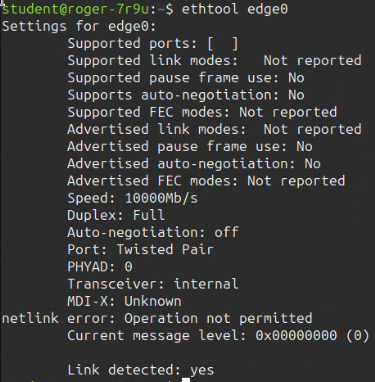
The following terminal screenshots illustrate how the CVPN interface appears when inspected from the command line.
Terminal IPs:
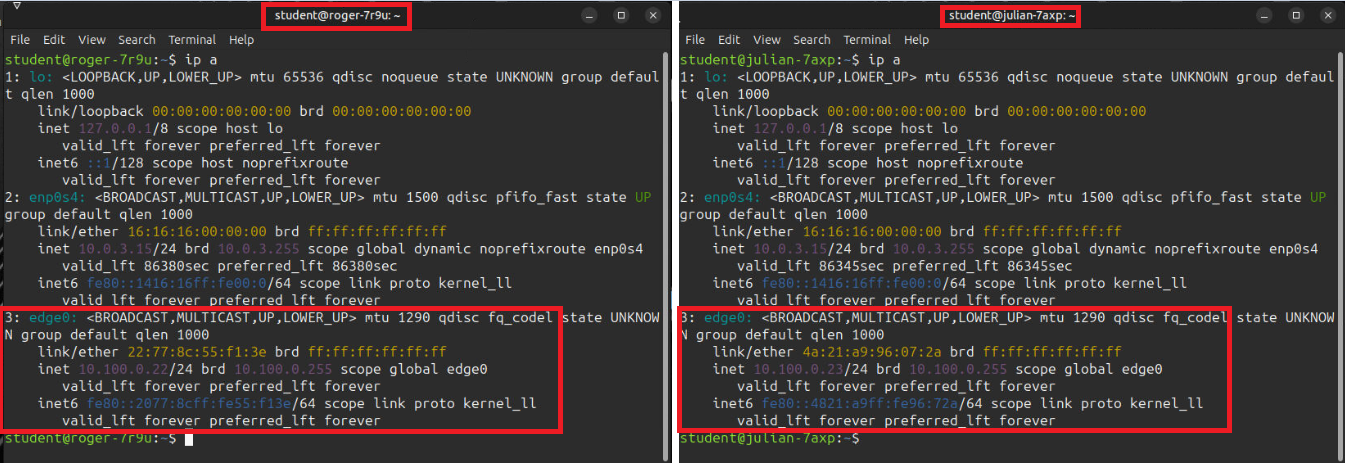
The screenshots below display the VPN network interface that is automatically provisioned when training workstations are created. Specifically, two student workstation terminals are shown displaying the `edge0` network interface, which corresponds to the Course VPN. As illustrated, each interface has a distinct and unique address, allowing you to use these identifiers to establish communication between the two machines.
Additional Properties: