What are Fresh-Start, Trainer, Participant, and Standalone Machines?
DaDesktop is a top-notch training platform that gives you access to cloud-based desktop machines for courses, along with admin tools to easily manage those desktops during each session.
To pull this off, DaDesktop works with a few different but similar types of desktop machines. Here’s a rundown of the main machine types you’ll come across:
Fresh-Start Machine
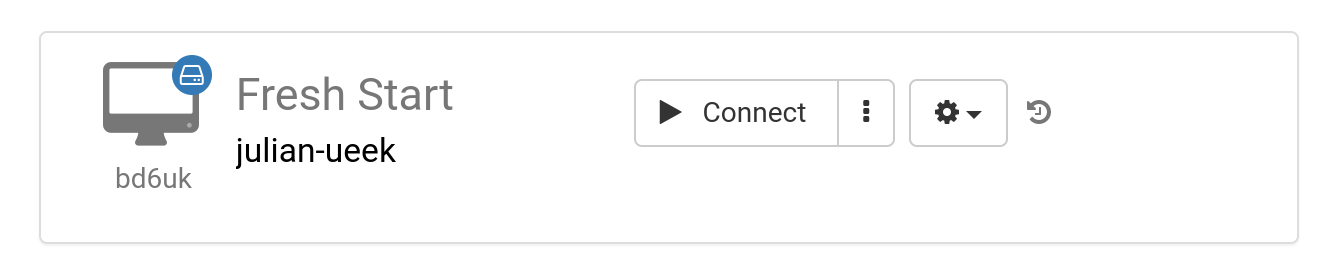
A 'Fresh-Start' machine is the one the Trainer initially builds and uses to set up all the course material. Once it’s good to go, that Fresh-Start gets cloned out to every Participant’s desktop for the upcoming course. You can think of it like a 'golden image'—a clean master copy that can be rolled back to if things go pear-shaped on either the Trainer’s or Participants’ machines.
Trainer Machine
The 'Trainer' machine is the one the Trainer uses to present their material to the participants throughout the course. Unlike the Fresh-Start, this machine’s state will change as software, libraries, and tools relevant to the topic are installed, set up, and demonstrated live by the Trainer.
If a course has more than one Trainer leading it, you’ll find multiple Trainer machines being used.

Participant Machine
Every participant gets their own 'Participant' machine to work on during the course, where they can carry out installs, configure settings, and complete exercises with guidance from the trainer.

Typically, Fresh-Start, Trainer, and Participant machines are automatically cleaned up a short while after a course wraps up. That’s why there’s another machine type available that isn’t tied to a specific course and can stick around for as long as you need—it’s called a 'Standalone' machine.
Standalone Machine
A 'Standalone' machine isn’t necessarily part of a live course. It sits on its own as a separate environment you can use before or after a course finishes, or simply whenever you need it, with no link to a course at all. This makes it incredibly flexible.

Common reasons for spinning up a Standalone desktop include:
- Putting together training course material that can be reused over and over, even outside of a scheduled course, or kept handy for when you need it.
- Needing a flexible machine—maybe with a different operating system (Linux, Windows)—to safely test out ideas in a sandboxed environment.