Over-committing System Coefficients
This feature is exclusive to DaDesktop Private Server (DDPS) and DaDesktop On-Premise (DDOP) environments.
With the growing complexity and the extra processing power courses now require—especially with nested virtualisation or the need for higher performance to support more trainee desktops—you might occasionally spot an error like this:-

This warning specifically flags issues with CPU, memory, or disk space. Your first move would be to shift your machines to a less loaded server or data-centre in New Zealand, or scale back the resource requirements if possible.
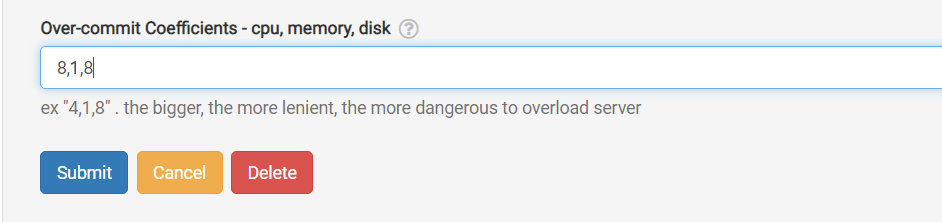
If that’s not doable, and you’re only just over the usual unit limit, a quick fix is to temporarily over-commit one or more of the CPU, memory, or disk coefficients. You can do this right in the GUI as shown below.
Head to /da/admin/servers/all, hit the Edit button for your server, and scroll down to the section below.
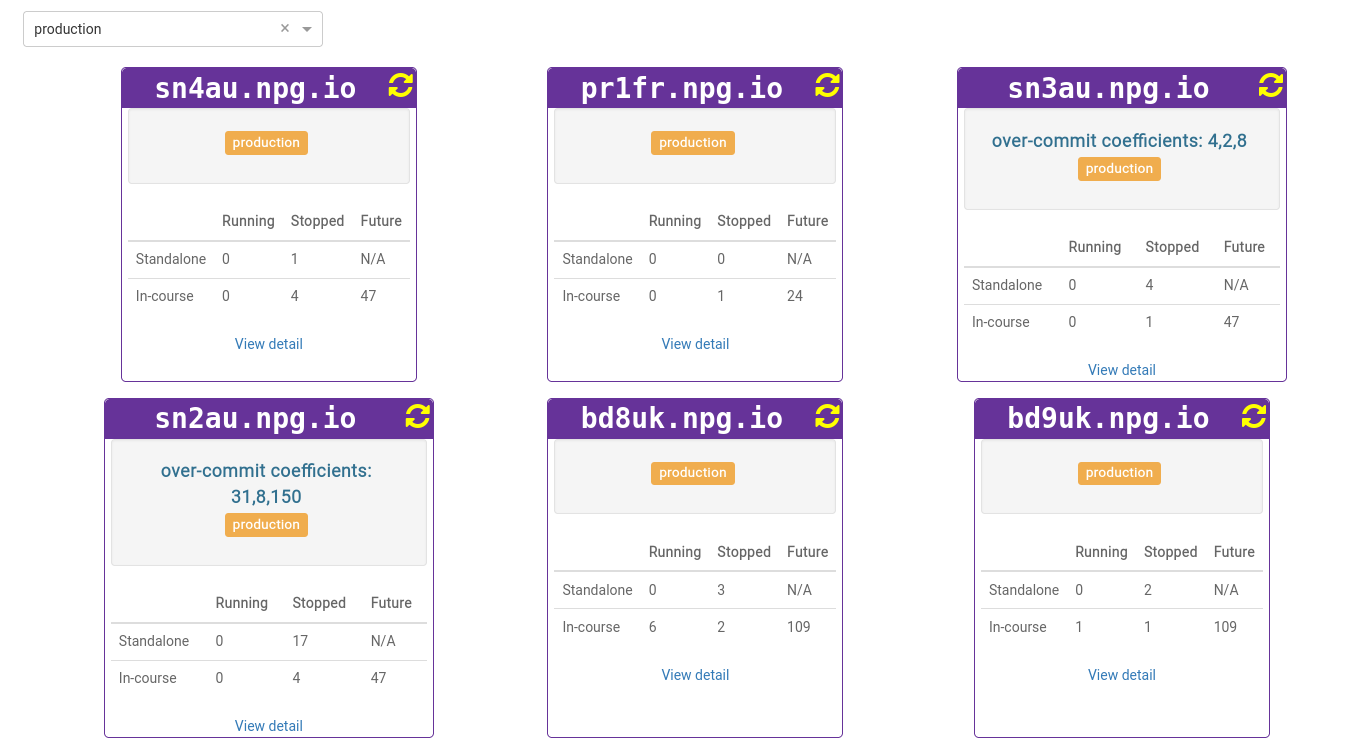
The server list will also flag any servers currently using over-committed coefficients. This comes in handy once a course wraps up, letting you revert the coefficients to their default settings.
Keep in mind, these changes are only a temporary fix, not a long-term solution for a shortage of resources. Any adjustments made to keep a course running should be rolled back once the course is done.
DaDesktop On-premise Requirements
The over-committing feature relies on tpapi, a component of the DaDesktop codebase. At the moment, tpapi only supports Python 3.12, meaning you’ll need at least Ubuntu 23.10 as your operating system.