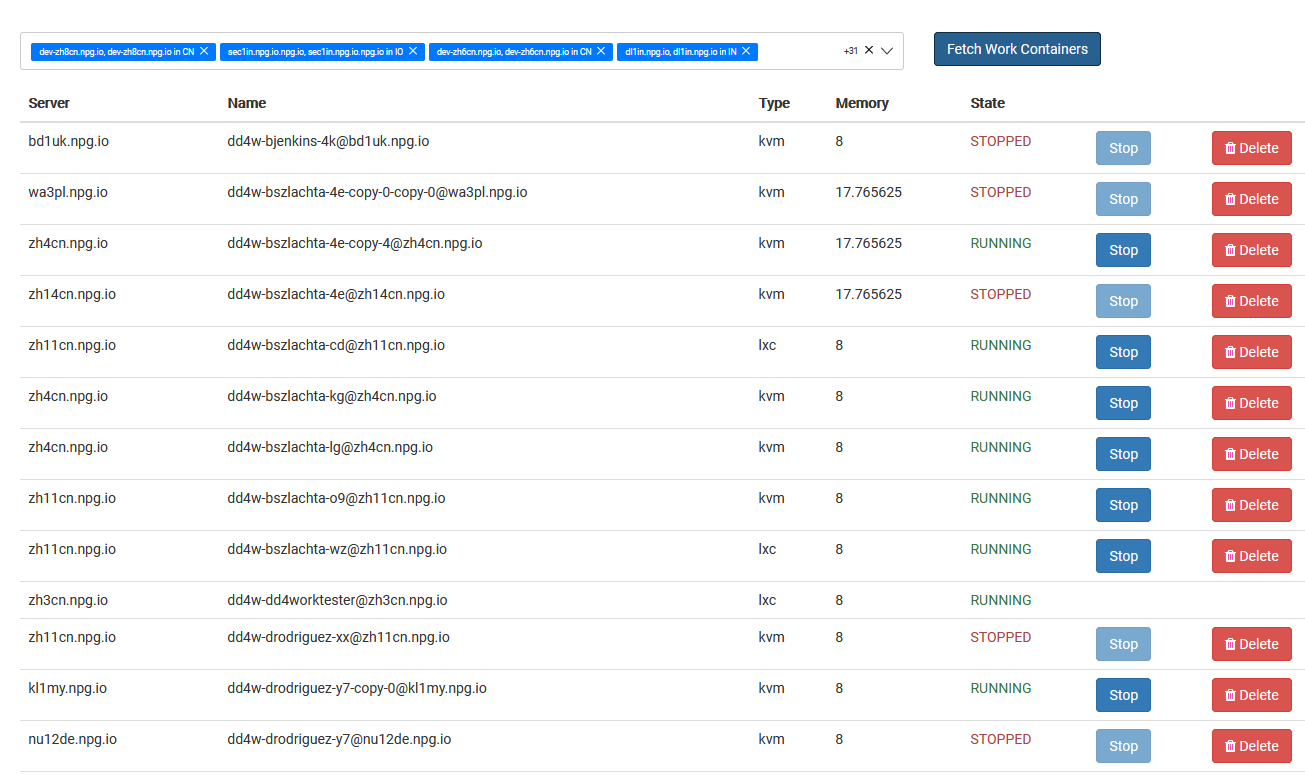
Managing Work Desktops
The Managing Work Desktops page gives Super Administrators a single spot to view and take care of all DaDesktop for Work desktops. These work desktops are built for ongoing use and are assigned to specific users, providing them with secure, uninterrupted access to their personal desktop environment.
Work Desktop List
This page lists every work desktop along with its current status and key details. From here, administrators can easily spot a desktop, check whether it's available, and step in to manage it whenever necessary.
Available Actions
Based on the desktop and its present state, administrators can carry out management tasks straight from the interface. These actions help look after work desktops across their entire lifecycle while making sure users keep their access to assigned environments.
Administration
Managing Work Desktops delivers a centralised overview for supervising work desktop resources across New Zealand. It makes admin easier by letting Super Administrators keep an eye on and manage user work desktops from one place, without interfering with other desktop types used for training or standalone purposes.