Using Desktop as a Chrome application
A common issue when you run Desktop in a browser tab is that some shortcut keys (e.g., Ctrl+W, Ctrl+F4) get intercepted by the browser itself.
The easy fix is to create a Chrome application (works with Chromium-based browsers too).
1. More Tools -> Create shortcut on your desktop
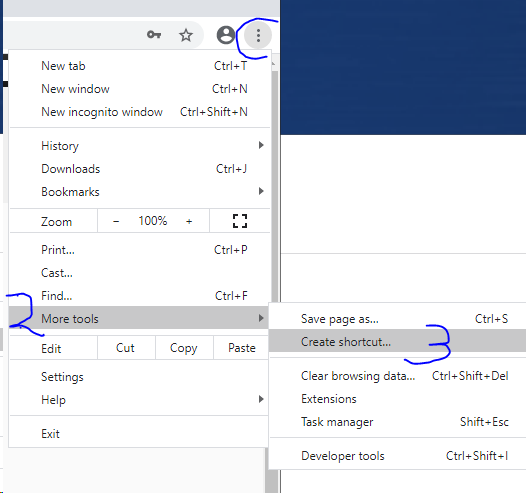
2. When creating the shortcut, tick 'Open as window'
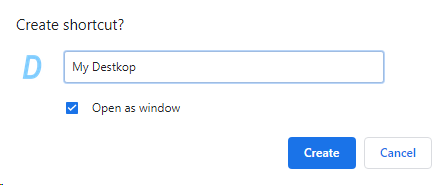
3. Open your app by double-clicking the shortcut on your desktop
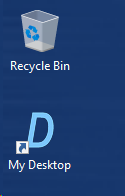
4. Use your app and enjoy all the key shortcuts working properly